Every bay uses Foresight cameras to track both the ball and the club. Ball flight works with nothing on the club — but club data (club speed, smash factor, club path, angle of attack, face angle at impact, impact location) only records when the reflective fiducial markers are on the face. Miss the markers and your My Bag club record, gapping, and coaching data all run blind.
Every marker must be on the club face — markers off the face (crown, sole, hosel) won't capture data.
Clean
Before applying markers, thoroughly clean the face of every club with rubbing alcohol so the markers adhere firmly.
Peel
Remove the marker from the sheet using the clear peel tab. Don't touch the marker itself with your finger.
Place
Position the marker over the club face, cross-hair side up, and align the crosshairs with the score lines.
Press
Press firmly, then carefully peel the clear tab away, leaving only the marker on the face.
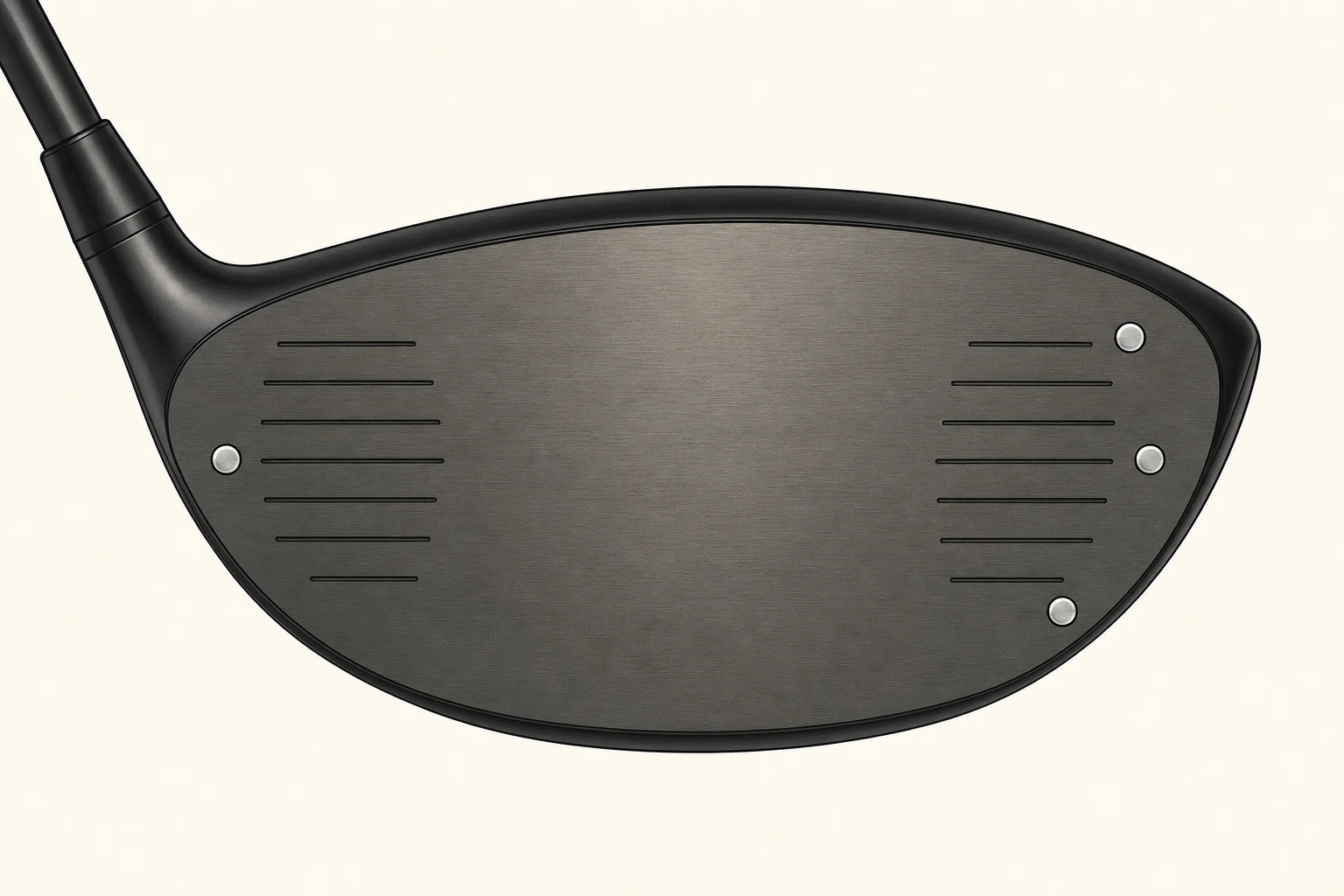
4 markers
All 4 markers must be on the club face to correctly capture data.
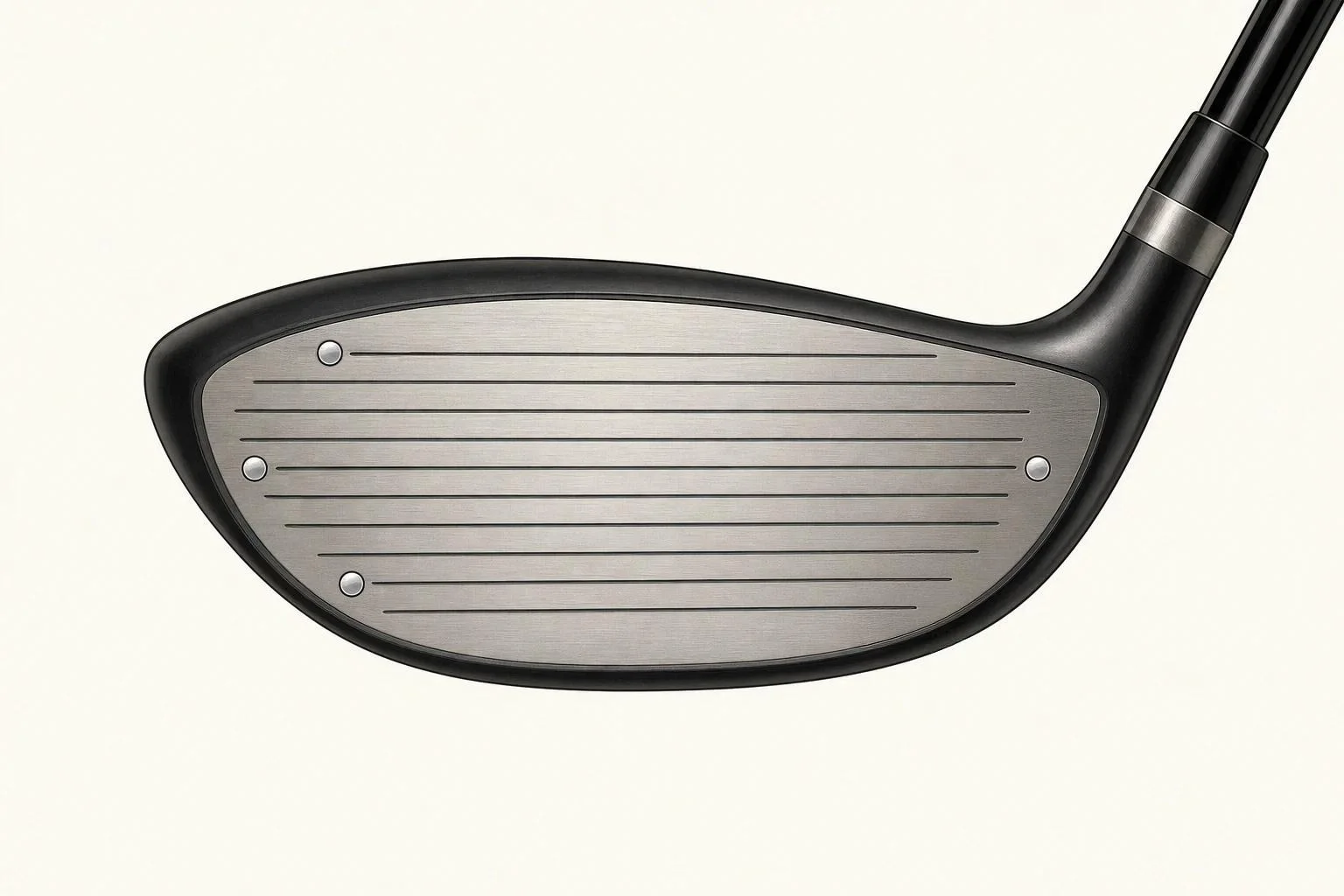
4 markers
All 4 markers must be on the club face to correctly capture data.
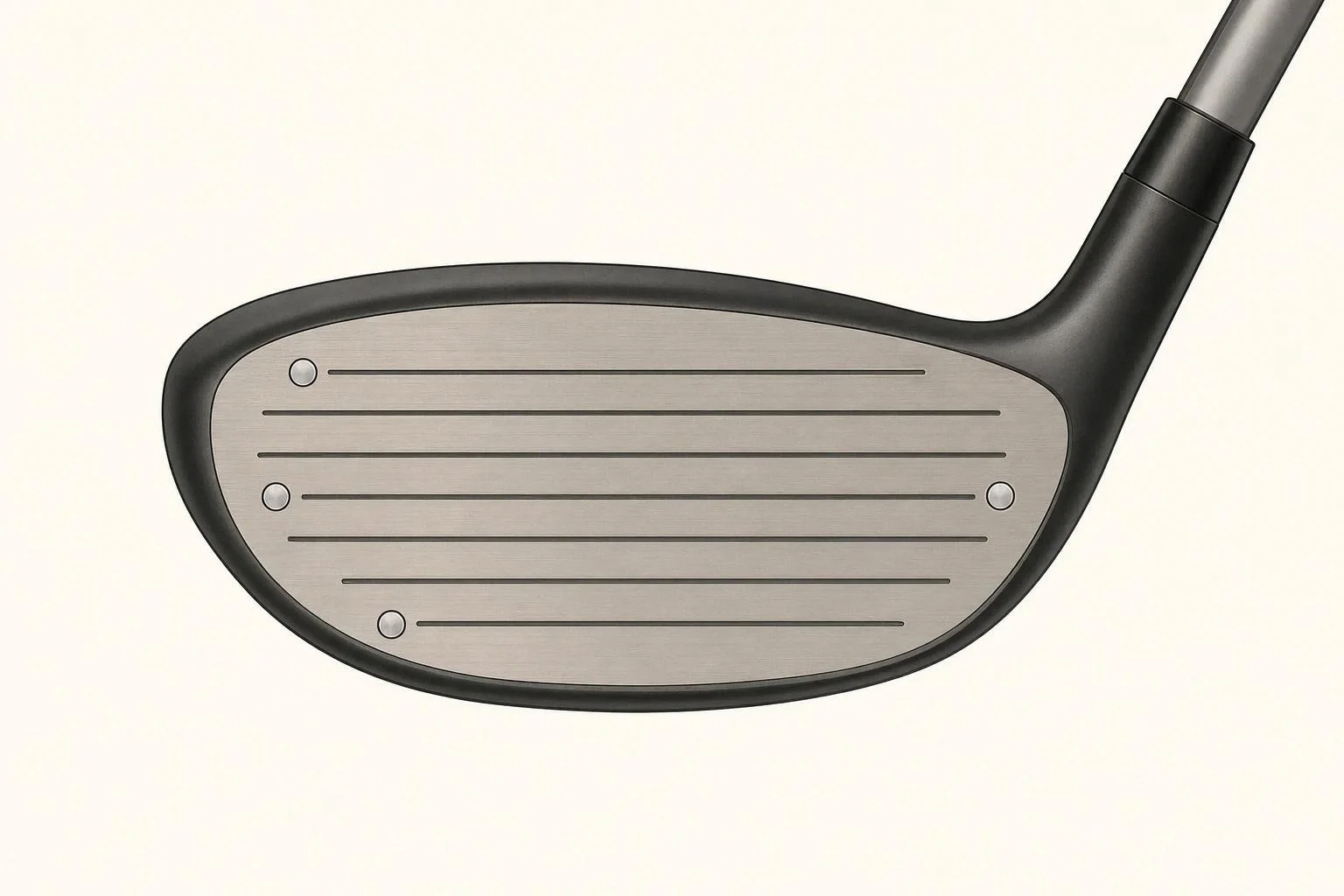
4 markers
All 4 markers must be on the club face to correctly capture data.
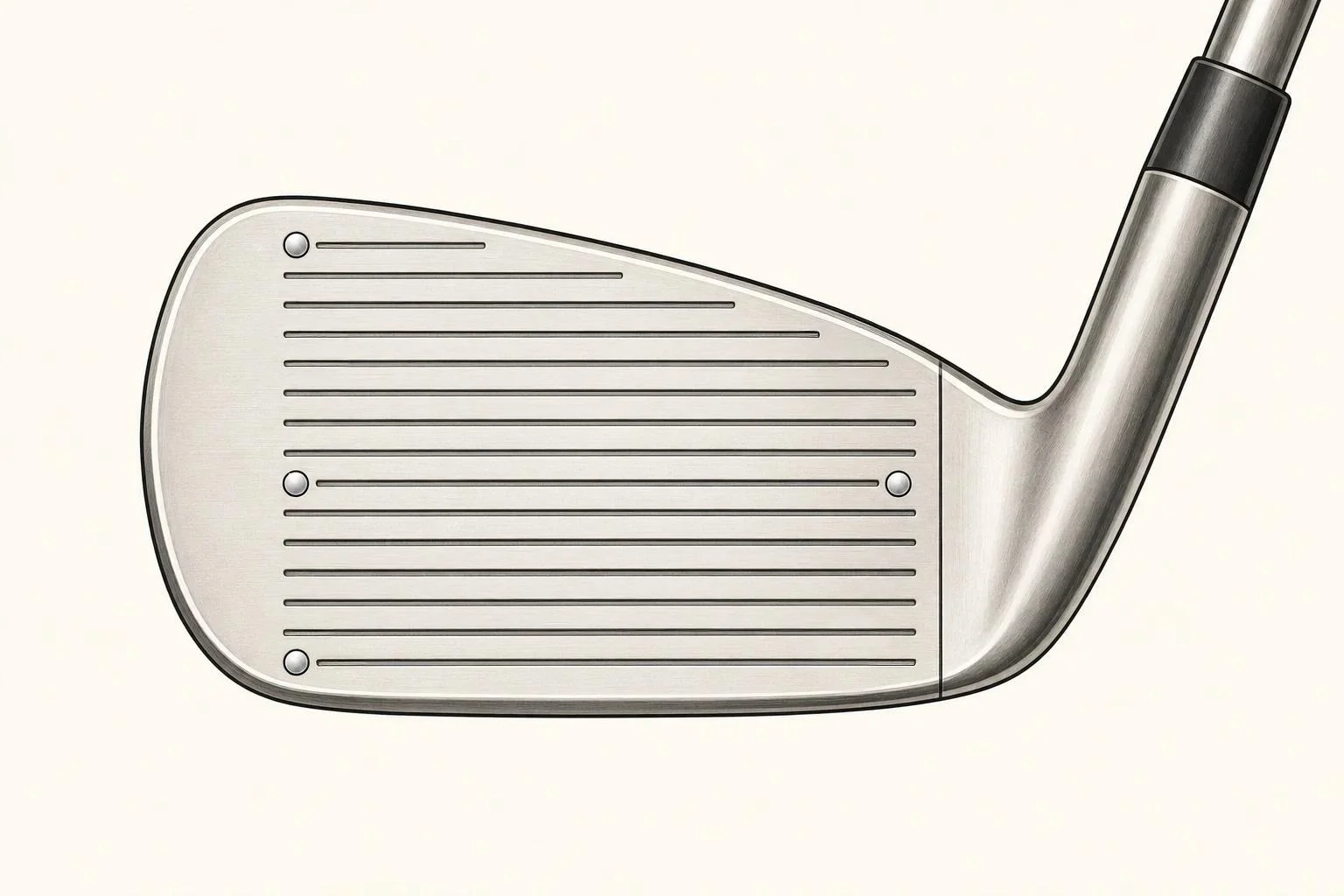
4 markers
All 4 markers must be on the club face to correctly capture data.
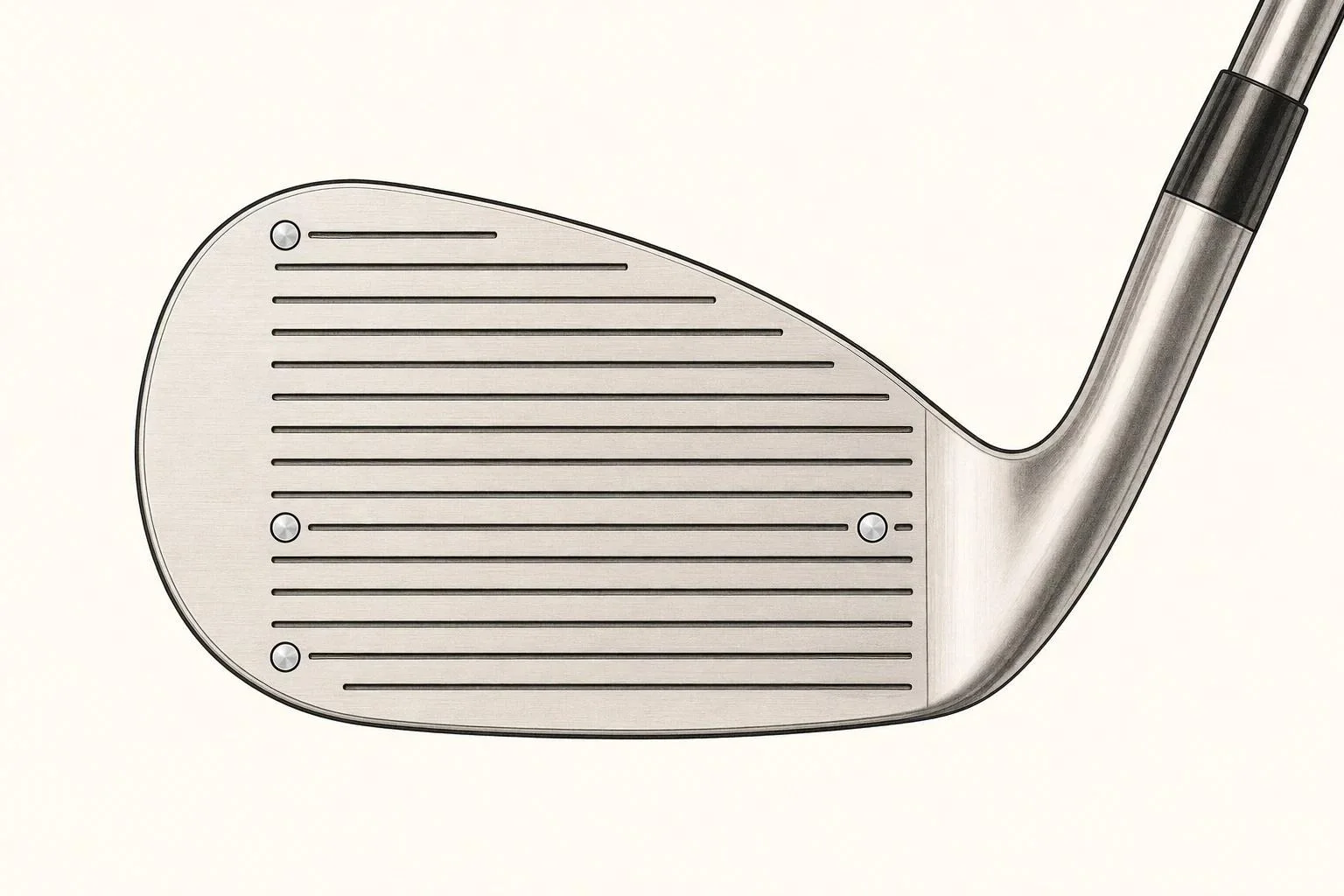
4 markers
All 4 markers must be on the club face to correctly capture data.
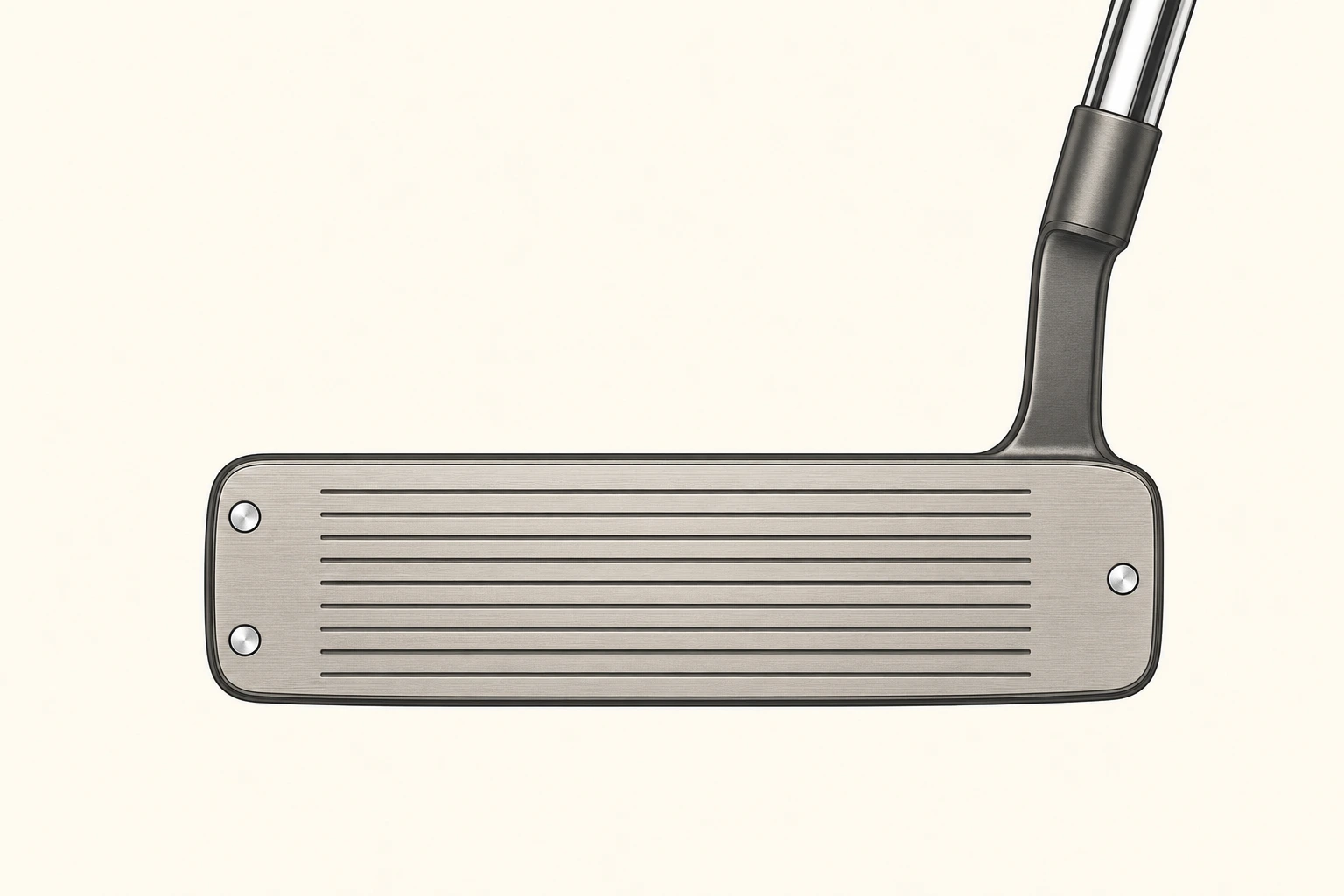
3 markers
3 dots on a putter capture club speed, smash factor, club path, angle of attack, face angle, impact lie, and impact location.
Need a fresh sheet? Ask at the front desk — they're free. Staff will gladly help you place your first set.
